
SIM-Card Android Boxes When the Site Has No Broadband
Some screens never get a clean internet line. A roadside board, a site office, a bus between depots, a shop whose Wi-Fi belongs to the landlord and drops every evening. A SIM-card Android box is the player for that place: the same signage job as a wired box, with a mobile network as the path for updates.
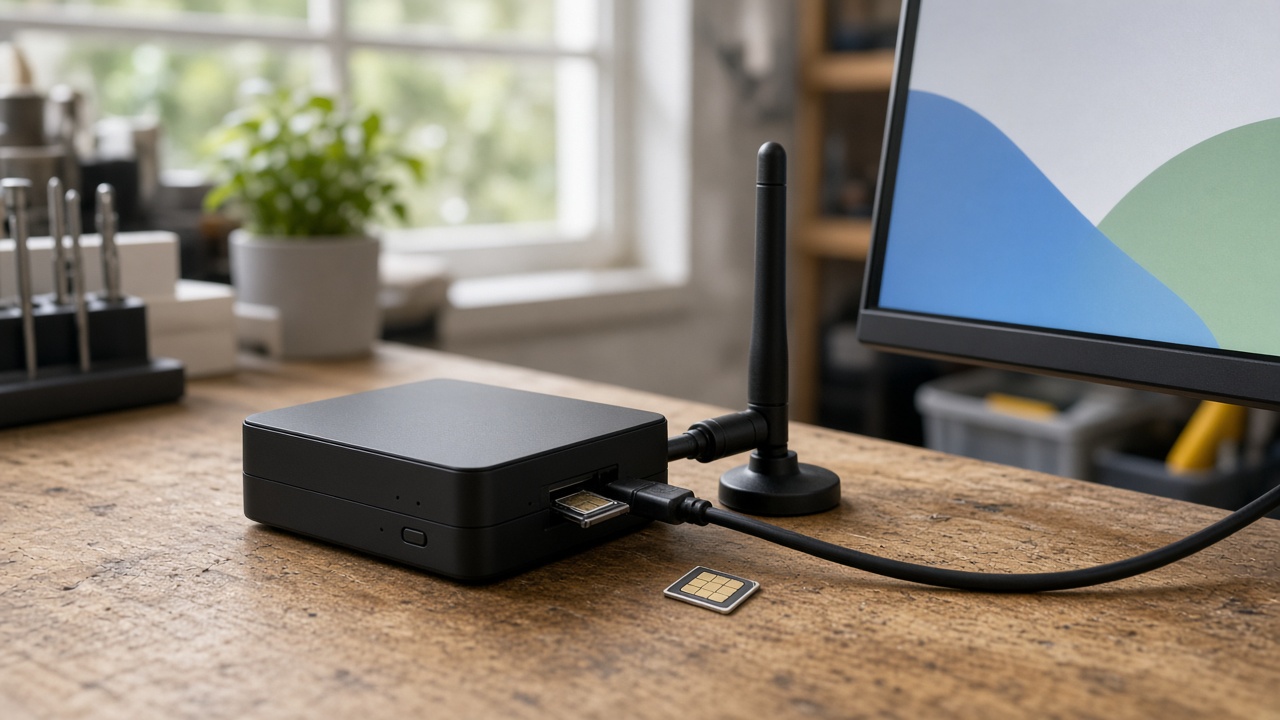
The SIM is a network, not the picture
A cellular player still has to put a picture on a screen. The modem does not make the content better. It answers one question: how does this box receive the next playlist and tell the office it is alive, when nobody is going to pull an Ethernet cable to it.
Treat the SIM as that path, and design the rest as if the path will vanish. Towers get congested. A bus enters a cutting. A temporary site moves behind a building. If the screen only works while a stream is open, the first weak hour becomes a blank panel. The player should already hold a complete playlist. Playback continues. The SIM catches up when it can.
Where a SIM box earns its place
- No landlord broadband. Pop-up retail, construction offices, fuel canopies and outdoor cabinets where the only practical line is a mobile plan in the player’s name.
- Screens that move. Buses and service vehicles that leave depot Wi-Fi and still need a message changed the same day. The bus screen guide covers the passenger layout; this note covers the radio.
- A backup when the shop line fails. Some operators keep Ethernet as the main path and a SIM as failover. That is a different build from a SIM-only site, and it should be specified that way so the player does not sit on cellular all month by accident.
It is the wrong tool when the site already has stable broadband and the screen never leaves the building. A wired Android box is simpler, cheaper to run, and easier to power-manage. Add a SIM because the place needs it, not because the brochure lists 4G.
Cache the content, then count the bytes
A player that streams video all day will exhaust an ordinary data plan and still freeze when the signal dips. A player that downloads a still, a short clip or a changed layout, stores it, and plays from storage will not. Publish differences, not the whole library, every time a price changes.
Before you order SIMs for a fleet, add up a realistic week: how many files change, how large they are, and how many players download them. Heartbeats and screenshots for support also use data. So does a mistaken setting that re-downloads a long video every boot. Maram does not publish a fixed data package. The plan is sized after the content is known. If the creative team intends hour-long videos on every screen, say so at the start. That is a different network design from a menu board that changes twice a week.
Digital signage is where those files are scheduled. The player should confirm the package is complete before it replaces the one already on screen. A failed download must leave yesterday’s loop running.
The antenna is part of the product
A SIM slot on a board inside a metal cabinet is not a signal. Enclosures, tinted glass and a mount above a ceiling tile all weaken a modem that looked fine on a bench. Specify an external antenna when the player sits in a cabinet, on a vehicle, or against a wall that faces away from the tower. Test the actual spot with the actual enclosure, not the car park outside.
Record which carrier works there. A plan that is strong in one district can be weak on the road that matters. If the screen is permanent, a short survey with the chosen SIM saves a return visit. If the screen moves, assume coverage will vary and rely on the local cache, as with screens on buses.
You still need to manage the box
A SIM gets the device onto a network. It does not tell you the screen is on the wrong input, the app crashed, or the playlist is two versions behind. Someone will otherwise drive to the site to power-cycle a box that could have been rebooted from a desk.
DCM Console is that desk for Maram deployments. See whether the player is checking in, lock it to the signage app, and push the package over the same cellular link. Name the device after the site or the vehicle. A serial number alone is not a map when twenty SIMs are live.
Keep the management traffic small. Status and a playlist update belong on the SIM. A full operating-system download in the middle of the day does not, unless you have planned the data and the reboot window. Commercial players that boot straight into the published app avoid the consumer habit of opening a store or a setup wizard the first time the signal returns.
What to check on one unit before you clone it
- Playback for a full day with the SIM removed after the first successful download.
- A content change that arrives over the live SIM, then a second change that fails halfway and leaves the previous loop intact.
- Signal strength inside the real enclosure, with the antenna in its final place.
- A week of data use against the plan you intend to buy, including status traffic.
- A remote reboot and a remote playlist push from DCM, without anyone on site.
If that unit needs a local keyboard to become a screen again, do not order the batch. The SIM did its job only if the office can see the player and the player can ignore the network when the network is gone.
Frequently asked questions
Specify the link, then the player
Decide whether this site truly has no broadband, needs a same-day change on the move, or only wants cellular as a backup. Put a commercial Android player there with a SIM, an antenna that matches the enclosure, and a playlist that already lives on the device. Manage it from the same console as the rest of the screens, and measure one unit’s data before the others are cloned.
Specify a cellular player
Tell us the site, whether the screen moves, and how often the content changes. We reply with a clear pilot proposal within one business day.